

The $150 Quote Before the Diagnosis
I walked into a repair shop in Wicker Park with a laptop so infected it wouldn’t boot past the login screen. The guy behind the counter didn’t even open the lid before he said one-fifty, cash or card, and we can have it ready Thursday. I paid it. And that was the first of three lessons I never asked for.
This was March 2024. I was freelancing out of a sublet in Chicago and my Lenovo IdeaPad had caught something nasty—probably from a cracked plugin I downloaded for a video project. Pop-ups everywhere. Browser hijacked. The whole machine moved like it was underwater. I didn’t have time to troubleshoot. I needed it fixed by Monday for a client call. So I walked into the first shop with decent Google reviews, handed over the machine, and tried not to think about the hit to my checking account.
Three days later I picked it up. It worked. No more pop-ups. But the receipt broke down like this: $79 for “diagnostic labor,” $45 for “malware removal,” and $25 for a “system optimization.” Here’s the thing though. When I opened the laptop at home, I found a sticky note inside the battery compartment with a handwritten password: Malwarebytes1. That’s when I knew my first real virus removal lesson was coming.
Virus Removal Secret #1: They Download the Same Free Tools You Have
The first secret is almost embarrassing to admit. That shop in Wicker Park? They didn’t use some proprietary military-grade software. They ran Malwarebytes Free. The same tool you can download in ninety seconds from the official site. I know because I found the installer in my downloads folder, timestamped fifteen minutes before they called me to pick up.
Look, I’m not saying every shop does this. But in my experience talking to other freelancers in the Midwest, the routine is depressingly consistent. Walk in with an infected machine. They boot into Safe Mode. They run Malwarebytes. Maybe they run ADWCleaner for the browser junk. Then they charge you $45 to $150 for the privilege of clicking buttons you could’ve clicked yourself. The virus removal industry in 2026 still runs on opacity, and most customers never ask what tool actually cleaned their machine.
And here’s where I get opinionated. I don’t blame the shops for existing. Most people genuinely don’t know how to boot into Safe Mode or which scanner to trust. The problem is the markup. When you’re panicked because your bank login might be compromised, $149 feels like a bargain for professional virus removal. But if someone told you upfront, “We’re going to run a free program and charge you triple what a decent meal costs,” you’d probably hesitate. The honest shops will at least tell you what they found. The shady ones hand you a clean machine, a vague receipt, and zero explanation.
If you want to test this yourself, download Malwarebytes Free and run it. If it finds the same threats the shop found, you just paid a convenience tax. Nothing wrong with convenience. Just know what you’re buying. I learned this the expensive way so you don’t have to. That sticky note password still sits in my desk drawer as a reminder that virus removal doesn’t always require a technician in a branded polo shirt.
Virus Removal Secret #2: Safe Mode Is Their “Deep Scan”
The second secret took me longer to figure out because it sounds technical. When the shop handed me that receipt, one line item read “Deep System Scan—$35.” Sounds impressive, right? Like they opened the hood and inspected every cylinder with a flashlight. They didn’t. They restarted my laptop into Safe Mode with Networking disabled, then ran the same scan again. That’s it. Safe Mode loads only essential Windows drivers, which means most malware can’t launch or protect itself. It’s a clever trick. It’s also a built-in Windows feature that costs zero dollars and takes about four minutes to access.
I learned this the hard way six months later when a friend’s Acer got hit with the same browser hijacker. Instead of paying someone, I booted into Safe Mode myself. Settings > System > Recovery > Advanced Startup > Troubleshoot > Startup Settings > Restart > Press 4. It felt intimidating the first time. My hands were actually shaking. But the screen loaded, the desktop looked weird without my wallpaper, and I ran the scan. It took maybe twelve minutes total. The scan found eleven threats. I quarantined them. Rebooted normally. Problem solved. Total cost for that virus removal? Zero dollars and a little bit of pride.
But the shops know most people won’t do this. Safe Mode looks scary. The black screen with white text feels like you’ve broken something. So they package it as a “deep scan” or “advanced remediation” and attach a fee. In 2026, with Windows 11’s recovery options more accessible than ever, this markup is getting harder to justify. Yet I still see it on every third receipt I ask friends to show me. One buddy in Cleveland paid $89 for a “level-two diagnostic” that was literally just Safe Mode plus a free Microsoft Safety Scanner. He didn’t know. I didn’t either, until I started asking questions.
Here’s what I tell people now. Before you pay for any virus removal service, ask exactly what tool they’re running and whether it requires Safe Mode. If they get evasive, leave. A real technician can explain their process in plain English without making it sound like rocket surgery. The ones who can’t? They’re reading from a script designed to make simple work sound expensive.
Virus Removal Secret #3: The Part Swap You Never Needed
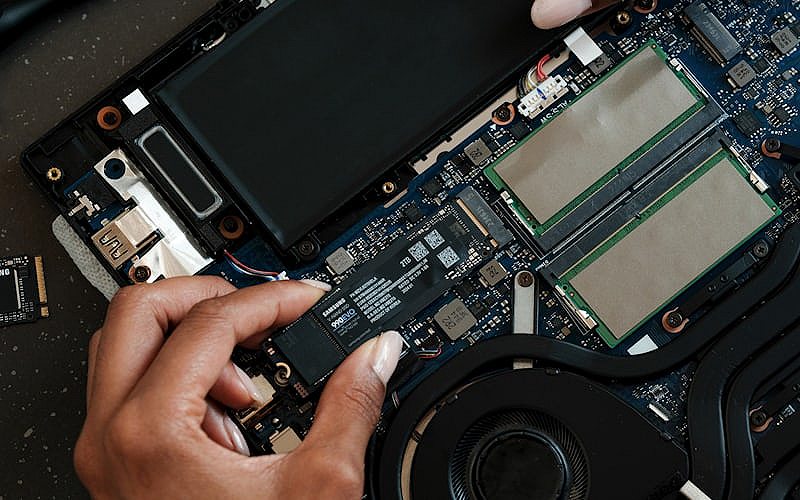
The third secret is the one that makes me genuinely angry. About a year after my Wicker Park experience, I took another infected machine—this time an HP Pavilion—to a different shop in Detroit. Different city, same playbook. But this shop went further. They opened the case, poked around the RAM, and told me the hard drive was “corrupted beyond recovery.” Their solution? A new SSD for $89 plus $60 installation labor. Total bill? $248. And I’d have lost all my files unless I paid another $75 for “data rescue.”
I said no. Took the laptop home. Booted from a Windows 11 USB I made on my roommate’s Mac. Ran chkdsk. The drive was fine. Slightly fragmented, but perfectly healthy. The infection was a rootkit that hid in the boot sector, making it look like drive failure to anyone who didn’t know better. A bootable Kaspersky Rescue Disk cleaned it in twenty minutes. Total cost: the price of a blank USB stick I already owned. The virus removal was free. The education cost me a Saturday afternoon and one very awkward phone call back to the shop where I asked for my “corrupted” drive report. They hung up.
Here’s my strong opinion. The drive swap recommendation isn’t always a scam. Sometimes drives actually fail. But in the context of virus removal, it’s a convenient upsell that preys on panic. A failing drive and an infected drive behave differently if you know the symptoms. Clicking sounds? Probably hardware. Slow boot with weird pop-ups? Probably software. Shops that jump straight to hardware replacement without isolating the infection first are either incompetent or dishonest. Usually both. And they count on you not knowing the difference because most Americans don’t.
The Worst Scam: When They Hold Your Data Hostage
This is the one that still keeps me up at night. My cousin in Cleveland took her Dell Inspiron to a chain store—I won’t name names, but it rhymes with “Geek Squad”—after a ransomware hit. They quoted $149 for virus removal. Standard. Then they called her back two hours later with “bad news.” The encryption was “too advanced” for their standard tools. But for $299, they could attempt a “priority data recovery.” If that failed, they’d need to send it to a “level-three lab” for $899.
She was crying on the phone to me. All her client files. Tax documents. Photos of her mom who’d passed the year before. She was two seconds from paying the $299 when I told her to hang up and drive there immediately. She picked up the laptop. Unplugged it. Took it home. We didn’t recover everything. Some files were genuinely encrypted by a variant of LockBit that had no public decryptor in late 2024. But we got about sixty percent back using Emsisoft’s free decryptor tools and shadow copies Windows had secretly preserved. The shop had no intention of trying any of that. Their “priority recovery” was a formatted drive and a fresh Windows install with her old files gone forever. That’s not virus removal. That’s destruction with a pricing sheet.
That’s the worst scam. Not the $149 baseline. The emotional extortion that happens after you’re already committed. They know you’re scared. They know you don’t have backups. And they build a pricing ladder designed to squeeze every dollar before you realize most of their “advanced services” are just standard formatting with a fancy name. In 2026, ransomware attacks hit over five billion devices globally according to Statista’s global malware attack data, and shops are getting better at monetizing that fear every single year.
How I Fixed It Myself for Zero Dollars
By mid-2025, I’d stopped going to shops entirely. Not because I’m some genius. Because I got tired of paying for mystery services and started reading actual documentation. Here’s what I do now when a machine needs virus removal and I don’t feel like funding somebody else’s rent.
First, I disconnect from the internet immediately. Unplug Ethernet, kill Wi-Fi. Malware can’t phone home if it can’t connect. Then I reboot into Safe Mode. If the infection is stubborn, I use a bootable rescue disk—Kaspersky or Bitdefender—on a USB stick. These load before Windows, which means the malware is asleep and can’t fight back. The hidden costs built into most antivirus subscriptions taught me that even paid tools sometimes miss what a free bootable scanner catches.
Second opinion matters. No single tool catches everything. I’ll run Malwarebytes, then HitmanPro, then Emsisoft Emergency Kit. Between the three, they find what each other misses. After quarantine, I check browser extensions, reset shortcuts, and clear every cache. The whole process takes two to three hours. Not twenty minutes like the shops claim, but also not $149. And I actually know what got removed.
The biggest change? I keep three backups now. One local external drive. One cloud sync. And one cold backup I update monthly. Because the real cost of virus removal isn’t the malware itself. It’s the panic of thinking you might lose everything. Backups remove the panic. And when you remove the panic, you remove the shops’ power to upsell you garbage you don’t need. That lesson cost me $149, a Saturday in Detroit, and one very uncomfortable family phone call. Worth every penny, looking back.
When a Repair Shop Is Actually Worth It
I’m not a total anarchist. There are situations where paying a professional makes sense. If you suspect a rootkit that survived every bootable scanner, go to a shop. If your business laptop is encrypted with ransomware and you have no backups and the decryptor doesn’t exist, a forensic specialist might help—though expect $500 to $2,000, not $149. If you simply don’t have the time or emotional bandwidth to learn Safe Mode, paying for convenience is valid. Just pay an honest price at an honest shop.
The honest shops exist. They’re usually the ones that tell you exactly what they found, show you the scan logs, and don’t upsell hardware you don’t need. In Chicago, I’ve since found a small place in Logan Square that charges a flat $60 and explains every step. I send people there when they’re truly stuck. But I only found them after getting burned twice. Most people don’t get that many chances. And in 2026, with malware getting smarter every quarter, knowing when to DIY and when to delegate is half the battle.
Frequently Asked Questions
Cheapest virus removal option?
Running a free scanner like Malwarebytes or Emsisoft Emergency Kit in Safe Mode costs nothing but time. For severe infections, a bootable rescue disk is still free if you have a blank USB stick. Professional virus removal services range from $50 to $300, but the cheapest path is almost always DIY for standard adware and trojans. I have personally cleaned three machines since 2024 without spending a dime on software.
Virus removal cost at Geek Squad?
Geek Squad typically charges $149.99 for basic virus and malware removal as of 2026. Advanced or ransomware cases jump to $299.99 or higher. Remote support sessions run $99.99 to $199.99. Their annual tech support plans start around $199.99 per year. Independent local shops often undercut these prices by 30 to 50 percent, though quality varies widely. My cousin’s $299 “priority data recovery” quote in Cleveland is a perfect example of how fast that number can climb once fear sets in.
Can I remove a virus myself?
Yes, for most common infections. If your machine still boots, download Malwarebytes Free, disconnect from the internet, reboot into Safe Mode, and run a full scan. For stubborn rootkits, create a bootable Kaspersky Rescue Disk on a USB drive. If the malware blocks all antivirus installation or your files are encrypted with no backup, that’s when professional virus removal becomes necessary. The line between DIY and professional help is thinner than most shops want you to believe.
How long does virus removal take?
A standard scan in Safe Mode takes forty-five minutes to two hours depending on drive size. A bootable rescue disk scan runs about the same. Manual cleanup of browser extensions, scheduled tasks, and registry entries adds another hour. Professional shops typically quote one to three business days, though the actual hands-on virus removal work is often under two hours. The rest of the time is usually queue and paperwork.
Will a factory reset remove malware?
Usually, but not always. A full clean install of Windows wipes the drive and removes nearly all malware. However, some UEFI bootkits can survive a standard reset by hiding in the motherboard firmware. If you suspect that level of infection, you need a specialist or a motherboard firmware update. For everyday trojans and adware, a reset is the nuclear option and it works. I consider it the last resort after free virus removal tools fail, not the first move.