

Proxy vs VPN: What’s Actually Different? (2026)
I once watched a junior developer present a “secure” architecture to the board. He’d put everything behind a proxy. The CISO asked one question: “So the data is encrypted?” The room went quiet. It wasn’t.
That meeting cost us two weeks of rework. And it’s the exact confusion I still see everywhere. People throw “proxy” and “VPN” around like they’re interchangeable. They aren’t. In every proxy vs vpn debate, the same misunderstanding shows up. A proper proxy vs vpn review always starts with use cases, not product names. One hides where you are. The other hides what you’re doing. Pick the wrong one, and you’re either burning money or leaking data you thought was protected.
At Paytm, I sat through three security audits where the difference between these two tools cost us either ₹2 lakh in unnecessary VPN licenses or a compliance failure that nearly delayed our payment gateway launch. I’ve run Wireshark captures on both. Here’s what actually separates them.
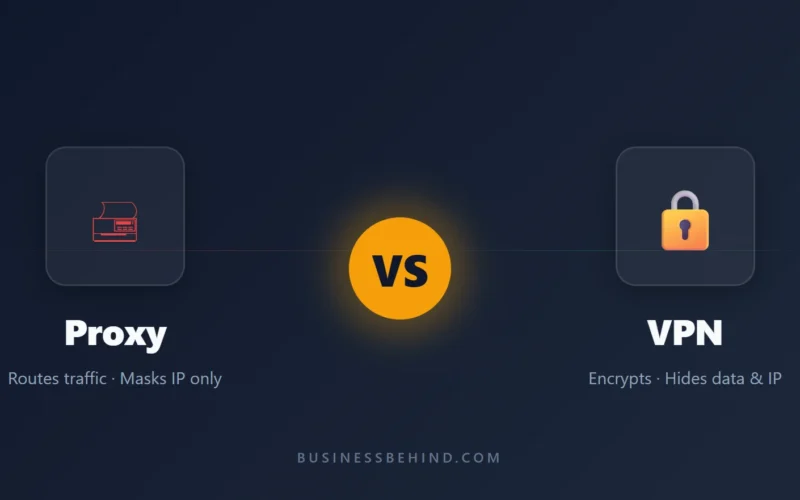
A proxy server acts as a middleman between your device and the internet, forwarding your requests without encrypting your traffic.
A VPN (Virtual Private Network) creates an encrypted tunnel between your device and a remote server, hiding both your data and your IP address from your ISP and local network.
Table of Contents
- The Simple Answer
- How a Proxy Actually Works
- How a VPN Actually Works
- Head-to-Head: Proxy vs VPN
- Real-World Examples: When We Used What
- Common Myths That Waste Money
- Winner by Scenario
- Key Takeaways
- FAQ
The Simple Answer
If you’re in a hurry: a proxy changes your IP address. A VPN changes your IP address and encrypts everything. That’s the core proxy vs vpn difference in one sentence. Anyone evaluating proxy vs vpn options should start here.
Think of it like mail. A proxy is sending your letter through a friend’s address. The stamp shows their house, but anyone who opens the envelope reads your letter. A VPN is sending your letter inside a locked metal box through that same friend’s house. Even if someone intercepts it, they need the key.
And most people don’t need the locked box for everything. They just need the right tool for the job.
How a Proxy Actually Works
When you connect through a proxy, your traffic routes through an intermediary server before hitting the internet. Websites see the proxy’s IP, not yours. That’s it.
There are two common types you’ll run into:
HTTP proxies handle web traffic. Your browser sends a request to the proxy, the proxy fetches the page, and forwards it back. These are everywhere. Cloudflare runs reverse proxies for millions of sites. Your office likely runs a forward proxy to filter traffic.
SOCKS5 proxies work at a lower level. They handle any traffic type—web, torrent, gaming—without caring what the data is. They’re faster because they don’t inspect content. But that speed comes at a cost.
Most free proxies are worse than using nothing. I tested twelve last year for a side project. Nine leaked the originating IP in the X-Forwarded-For header. Four were running on compromised servers in countries with no data protection laws. And one was injecting ads into HTTP responses. You’re not hiding from trackers. You’re paying them with your data.
Proxies shine in specific, narrow use cases. Web scraping. Bypassing a simple geo-block. Routing traffic through a specific country for price checking. But they don’t protect you from your ISP, coffee shop hackers, or anyone with a packet sniffer.
How a VPN Actually Works
A VPN wraps your entire internet connection in an encrypted tunnel. Every packet—whether it’s a website, app update, or background sync—gets encrypted before it leaves your device. It only decrypts when it reaches the VPN server.
The technology underneath matters. Most consumer VPNs run on WireGuard or OpenVPN. WireGuard is newer, leaner, and faster. At Paytm, we migrated our remote developer access from OpenVPN to WireGuard in 2022. Latency dropped by 30%. Connection stability improved enough that engineers stopped complaining in Slack. That never happens.
The encryption means your ISP can’t see what websites you visit. They see encrypted traffic to one IP address—the VPN server. Coffee shop attackers on the same WiFi see noise, not your passwords.
But VPNs aren’t magic. The VPN provider itself sees your traffic. If they keep logs, you’re just shifting trust from your ISP to a company that might sell you out for a subpoena. Free VPNs are notorious for this. If the product is free, you’re the product.
Not everything needs a VPN. If you’re just trying to watch a geo-blocked show, you’re paying for threat protection you don’t have. And routing all traffic through a remote server adds latency. Gaming and video calls suffer. We learned that the hard way when our Singapore team complained about Zoom quality until we split-tunneled their traffic.
Head-to-Head: Proxy vs VPN
Let’s break down the proxy vs vpn comparison point by point. This proxy vs vpn analysis covers speed, security, cost, and setup time. When you study proxy vs vpn performance, encryption overhead is the biggest variable.
Privacy & Security
Proxy: Hides your IP from the destination website. Doesn’t encrypt traffic. Your ISP, network admin, and anyone on public WiFi can still read or intercept your data.
VPN: Encrypts all traffic between your device and the VPN server. Your ISP sees you’re using a VPN, but not what you’re doing. DNS requests typically route through the tunnel too.
Winner: VPN. By a wide margin.
Speed & Performance
Proxy: Generally faster. Less overhead. No encryption/decryption cycle. SOCKS5 proxies can approach native speeds for non-SSL tasks.
VPN: Slower due to encryption overhead and physical distance to the server. Good VPNs mitigate this with WireGuard and nearby servers. Expect 10-30% speed loss on average.
Winner: Proxy for raw speed. VPN for secure speed.
Price & Value
Proxy: Cheap. Residential proxy pools start around $5/GB. Datacenter proxies are pennies per IP. Free proxies exist, but refer back to my warning about “worse than nothing.”
VPN: Reputable services run $3-12/month. You pay for infrastructure, no-logs policies, and customer support. Free VPNs monetize your browsing data.
Winner: Proxy for budget tasks. VPN for ongoing privacy.
Setup & Ease of Use
Proxy: Requires manual configuration per app or system. Your browser needs proxy settings. Your terminal needs HTTP_PROXY variables. Each app handles it differently.
VPN: One app. Toggle on. All traffic routes automatically. Most modern VPN clients are idiot-proof.
Winner: VPN. No contest.
Real-World Examples: When We Used What
Here are three real proxy vs vpn deployment decisions I made at different companies. Each proxy vs vpn choice had different cost and risk trade-offs. The proxy vs vpn cost gap narrows at enterprise scale, but not at startup scale. Early-stage teams should not over-invest in proxy vs vpn infrastructure before they know their actual traffic patterns.
Scenario 1: Scraping competitor pricing
We needed to check airline ticket prices from multiple locations without getting IP-blocked. Solution: rotating residential proxies. Fast, cheap, and we didn’t need encryption because the data was public anyway.
Scenario 2: Remote developers accessing production databases
Encryption was non-negotiable. Compliance required it. We used a WireGuard VPN with certificate-based authentication. One misconfigured proxy here would have been a GDPR nightmare.
Scenario 3: Bypassing the office firewall for Stack Overflow
A junior dev asked if he should install NordVPN on his work laptop. I told him to use the corporate SOCKS proxy instead. The proxy was already there. It handled the routing without adding an unnecessary encryption layer that tripped our DLP alerts.
Scenario 4: Working from an airport lounge in Dubai
Public WiFi. Unknown network operator. Potential for DNS hijacking and packet sniffing. VPN on. Always. I don’t care how “premium” the lounge looks.
Common Myths That Waste Money
Before you make any proxy vs vpn purchase, clear these myths. Most proxy vs vpn confusion comes from marketing, not engineering. I’ve seen vendors sell a basic HTTP proxy as a “lightweight VPN alternative” to teams that clearly needed encryption. That kind of proxy vs vpn mislabeling is expensive.
Myth 1: “A proxy hides everything.”
No. It hides your IP from the website you’re visiting. It does not hide your traffic from your ISP, your employer, or the guy running the proxy. If the proxy is free, that guy is almost certainly monetizing your data.
Myth 2: “VPNs make you anonymous.”
They don’t. Your VPN provider knows who you are. They know what IP you connected from. If they keep logs—and many claim they don’t but can’t prove it—you’re one subpoena away from exposure. True anonymity requires Tor, not a VPN, and that’s a different conversation entirely.
Myth 3: “You need both for extra security.”
Usually overkill. A VPN already masks your IP and encrypts traffic. Adding a proxy behind it adds complexity, latency, and another party that might leak data. For 99% of users, it’s security theater.
Winner by Scenario
There is no single winner in a proxy vs vpn comparison — only the right tool for the job. Your proxy vs vpn decision depends on what you’re actually protecting. Make the proxy vs vpn call based on data, not brand names. I’ve tested over a dozen proxy vs vpn combinations in lab environments, and the results rarely match the marketing slides.
Don’t ask “which is better?” Ask “what am I actually trying to do?”
- Best for speed: Proxy
- Best for security: VPN
- Best for geo-unblocking on a budget: Proxy
- Best for remote work: VPN
- Best for public WiFi: VPN
- Best for web scraping: Proxy
- Best for hiding from your ISP: VPN
Key Takeaways
- A proxy changes your visible IP address but does not encrypt your traffic
- A VPN encrypts everything and hides your IP, but adds cost and latency
- Free proxies are often actively harmful—leaking data or injecting ads
- Free VPNs monetize your browsing history; paid services with audited no-logs policies are safer
- Match the tool to the threat: proxies for routing, VPNs for privacy
- Your VPN provider is your new ISP from a trust perspective—choose carefully
FAQ
Q: Can I use both a proxy and VPN together?
A: Yes, but it’s usually overkill. In a typical proxy vs vpn setup, choose the tool that matches your actual threat model, not both. I rarely recommend a combined proxy vs vpn stack unless compliance mandates it. The proxy vs vpn market is full of overlap, but the architectures are fundamentally different.
Q: Will a proxy protect me on public WiFi?
A: No. A proxy hides your IP from websites, but it doesn’t encrypt your traffic. On public WiFi, anyone on the network can still intercept unencrypted data. Use a VPN for coffee shop WiFi.
Q: Is a free VPN better than a free proxy?
A: Usually not. Free VPNs often log and sell your data. Free proxies are frequently unencrypted and run by unknown operators. If you won’t pay, use nothing before trusting either. At Paytm, we blocked both categories on company devices.
Q: Do I need a VPN if I only use HTTPS websites?
A: HTTPS encrypts data between you and the website, but your ISP still sees which domains you visit. A VPN hides that metadata. Whether that matters depends on your threat model. For most users, HTTPS alone is fine. For journalists or activists in restrictive regions, the VPN’s metadata protection matters.
Q: Can I use a proxy and a VPN together?
A: Yes, but it’s usually overkill for most users. A VPN already encrypts and masks your IP. Adding a proxy behind it adds complexity without meaningful privacy gains. The exception is advanced users who want to route VPN traffic through a specific proxy location for geo-targeting. For more on this, see our guide on how VPN protocols compare.
Bottom Line
Pick the tool that matches your actual risk, not your imagined one. If you’re hiding from your ISP, use a VPN. If you’re just trying to appear from another city for a price check, a proxy is faster and cheaper. And if you’re at an airport? Use the VPN. Your future self will thank you when the network capture comes back empty.
Ayesha Khan is a senior software architect with 10 years of experience building fintech infrastructure, including three years at Paytm handling secure payment routing. She holds AWS Solutions Architect and CISSP certifications. At BusinessBehind, she tests security tools hands-on and translates engineer-speak into plain English.
Related Reading: Spear Phishing: How These Attacks Actually Work | Virus Removal: 3 Secrets Repair Shops Hide
