

The $89 Trap That Turned My Antivirus Software Into a Nightmare
I bought Bitdefender Total Security last January for $89 at a Micro Center in Pittsburgh. The guy at the register told me it was a “steal.” By December, my credit card got hit for $287. No email warning. No confirmation. Just a charge that showed up while I was grocery shopping in Squirrel Hill, staring at my phone in the cereal aisle wondering if I’d been robbed. That was the day I realized antivirus software isn’t sold to protect you. It’s sold to bill you twice.
I’d been running Windows Defender for three years before that. Never had a problem. But my uncle got hit with ransomware in 2024, and suddenly I was paranoid. Every tech blog I read said the same thing: “free antivirus isn’t enough.” So I paid. And I paid again. And then I started digging into what these companies actually charge over three years. What I found made me angrier than the ransomware scare ever did.

Why Antivirus Software Renewal Prices Triple While Nobody’s Watching
Here’s the trick nobody explains at checkout. The $89 price tag is a “new customer” discount. It’s bait. When year two rolls around, most people don’t remember what they originally paid. They’re just glad their computer still works. So the company slides in a renewal charge that can be anywhere from $120 to $287, depending on which tier you accidentally clicked during setup.
Norton does it. McAfee does it. Bitdefender does it. Even the brands that market themselves as “consumer-friendly” pull this stunt. They call it “continuous protection” in the settings menu, which is corporate speak for “we’re going to charge your card forever unless you hunt down the cancellation page like it’s a lost treasure.” I spent forty minutes in Bitdefender’s account portal trying to find the auto-renewal toggle. It was buried under three menus labeled in lowercase gray text.
And yeah, the FTC knows about it. The practice is technically legal because the terms of service mention renewal rates somewhere in paragraph nineteen. But let’s be honest. Nobody reads that. I don’t read that. You don’t read that. The only reason I found out was because my bank texted me about a suspicious charge while I was buying Cheerios.
The worst part? If you call to cancel, they don’t just let you leave. They transfer you to a “retention specialist” who suddenly has a 40% discount available. Which means loyal auto-renewal customers pay the highest price, and people who threaten to quit get rewarded. It’s not a security product. It’s a gym membership with better marketing.
The Free Antivirus Software Lie That Costs More Than Money
Before I paid for Bitdefender, I tried TotalAV’s “free” version. It found seventeen threats on my laptop. Seventeen! I panicked. Then I clicked “remove threats” and got a paywall. The free version scans. It doesn’t clean. It’s basically a fear machine designed to make you pull out your credit card at 2 AM because you’re worried about trojans.
Same thing with AVG and Avast. Their free tiers are functional for basic malware blocking, but they’re packed with upsell popups that look like system warnings. In 2024, Avast’s parent company got fined $16.5 million by the FTC for selling user browsing data through a subsidiary called Jumpshot. So while you’re using their “free” protection, your data might be the actual product. That doesn’t feel very free to me.
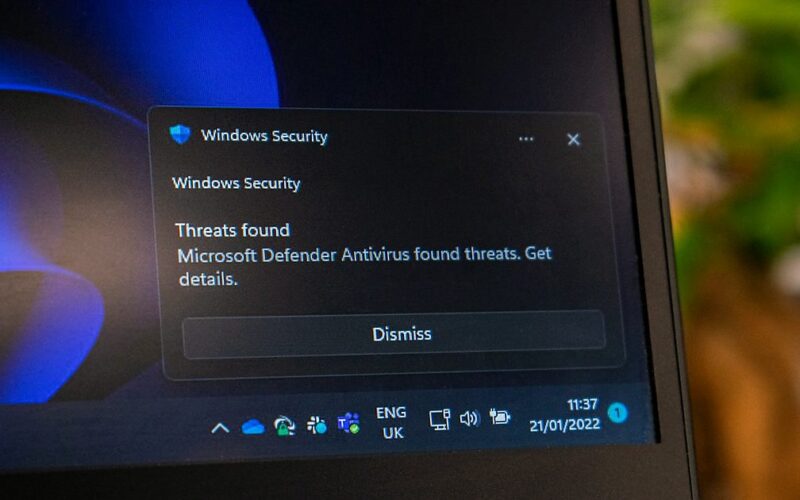
Microsoft Defender, meanwhile, doesn’t upsell you. It doesn’t pop up fake urgency banners. It just runs in the background, updates with Windows, and scores 99% in independent AV-TEST lab results. For most people in 2026, Defender catches the same threats as the paid suites. The difference isn’t detection. It’s marketing. If you’re curious about the history of how these programs evolved from simple file scanners into bloated subscription suites, Wikipedia’s antivirus software entry lays out the whole timeline better than most vendor blogs.

When Windows Defender Actually Beats Paid Antivirus Software
I know this sounds like heresy. Every tech YouTuber says you need a third-party antivirus. But most of them are reading from the same press release. Independent labs like AV-Comparatives and AV-TEST publish quarterly reports, and for the past two years, Defender has been within one percentage point of Bitdefender and Norton in detection rates.
Where paid suites genuinely win is phishing protection across browsers. Defender’s SmartScreen only fully protects Microsoft Edge. If you use Chrome or Firefox, you lose some web shielding. Paid suites also offer ransomware rollback, which is nice if you’re storing irreplaceable files with no backup. But here’s the thing — if you have good backup habits, ransomware rollback becomes way less critical. A $10/month cloud backup plan protects you better than any antivirus feature ever could.
On older hardware, paid suites can also slow your machine down. Norton idles at around 250MB of RAM. Defender sits closer to 110MB. On my cousin’s seven-year-old Dell Inspiron from a pawn shop in Detroit, Norton made boot times unbearable. Defender didn’t. Sometimes the “better” protection is worse for your actual daily experience. Similar to how chrome browser freezing issues can be the first sign your RAM is dying, a sluggish PC after installing antivirus is often your hardware begging for mercy.
The One Antivirus Software Feature Worth Paying For
I’ll give credit where it’s due. Ransomware rollback is the single feature that justifies a paid subscription for certain users. Bitdefender and Norton both caught 49 out of 50 ransomware samples in recent testing, and when they detect an encryption attack in progress, they can revert your files to their pre-attack state. That’s not trivial. If you store client work, family photos, or anything you can’t afford to lose, that feature has real value.
But most people don’t need it. If your documents live in Google Drive, Dropbox, or OneDrive, they’re already versioned. Ransomware encrypts your local copy, but the cloud copy stays intact. You just restore it. For $0.
The other “extra” that paid suites push — VPNs, password managers, dark web monitoring — are usually watered-down versions of standalone tools. Most bundled VPNs throttle your speed by 30-45% and lack key privacy features. The password managers are fine, but Bitwarden exists for free. You’re not buying better security. You’re buying convenience. And you’re paying convenience prices that triple in year two.
What I Tell Friends in Pittsburgh About Antivirus Software
I don’t tell people to skip paid antivirus entirely. That’s irresponsible. What I say is this: figure out what you’re actually paying for before you click “buy.” If you have multiple devices, kids who click random links, or parents who still fall for Facebook scams, a paid suite with parental controls and cross-device management makes sense. Norton 360 Deluxe handles that scenario well, despite the renewal price jump. I’ve seen my own father click a fake Amazon order confirmation email three times in one year. For users like that, the extra web filtering and family safety tools genuinely matter.
If you’re a single user on a modern Windows 11 laptop who doesn’t download sketchy torrents, Defender plus a free Malwarebytes manual scan once a month is probably enough. Save the $89. Or spend it on a proper backup solution, which protects you against way more than just malware. And if you’re building out a broader toolkit, I wrote about some genuinely useful free AI tools for small businesses in 2026 that actually deliver without the renewal traps.
The security industry wants you to believe the internet is a warzone and you need a paid soldier. In reality, most threats in 2026 come from phishing emails and social engineering, not sophisticated viruses. No antivirus software, free or paid, fully protects you from clicking a fake Netflix login link. Your own skepticism is worth more than any subscription. The numbers back this up — according to Statista’s 2026 cybersecurity data, over 80% of successful breaches start with human error, not undetected malware.
Pick one thing from this article. If you’re currently paying for antivirus, go check your renewal settings right now. Disable auto-renewal. Set a calendar reminder for thirty days before expiration. That single action will save you more money than any “threat detection engine” ever will.
Frequently Asked Questions
Best free antivirus software in 2026?
Microsoft Defender for Windows users. It’s built in, updates automatically, and scores 99% in independent lab tests. If you want a second opinion, run Malwarebytes Free manually once a month. It catches adware and potentially unwanted programs that Defender sometimes misses, and the two don’t conflict.
For non-Windows users, Avira Free Security is the most feature-rich option, though it comes with upgrade prompts. Avoid AVG and Avast free tiers if privacy matters to you — their parent company has a documented history of monetizing user browsing data.
Antivirus software renewal price tripled?
That’s standard industry practice. The first-year price is a discounted “new customer” rate. Renewal rates are listed in the terms of service but rarely shown clearly at checkout. Norton jumps from around $50 to $120. Bitdefender goes from $20 to $90. McAfee can hit $200 on higher tiers. Disable auto-renewal immediately after purchase. Your protection continues for the full term regardless.
Windows Defender enough alone?
For careful single users on updated Windows 11 PCs, yes. Defender matches paid suites in core malware detection. Where it falls short is phishing protection in non-Edge browsers and offline detection. If you browse carefully, avoid pirated software, and keep regular backups, Defender handles the vast majority of threats without costing a dollar.
Paid antivirus software worth it in 2026?
Only if you need specific bundled features like parental controls, multi-device management, or ransomware rollback for irreplaceable local files. For pure virus detection, the gap between paid suites and Defender has essentially closed. Pay for convenience or family coverage, not because free protection is dangerous.
Antivirus software slow down my PC?
Some do. McAfee and Norton are particularly heavy, consuming up to 250MB of RAM at idle and causing noticeable boot delays. Bitdefender and Malwarebytes are lighter. On older or budget hardware, Defender is usually the least resource-intensive option because it’s integrated into Windows itself.
Auto-renewal on antivirus software?
It’s enabled by default on nearly every major brand. Companies often charge your card thirty to thirty-five days before the renewal date. Some make cancellation difficult, requiring phone calls or navigating buried account menus. Disable auto-renewal immediately after purchase. Your protection stays active for the full subscription period.