
I spent six years thinking my $25 multimeter was “good enough.” It wasn’t. In March 2019, I wasted an entire weekend in a Toledo garage chasing a ghost signal through an Arduino motor controller. The voltage read fine. The circuit looked fine. But the motor kept jittering. A buddy finally walked over, plugged in a battered old Rigol scope, and showed me the truth: a 40 kHz noise spike my multimeter never even saw. I bought my first oscilloscope that Monday. Here’s what I wish I’d known â and what actually matters in 2026. For the full physics background, Wikipedia’s oscilloscope article covers the history better than I can.
Table of Contents
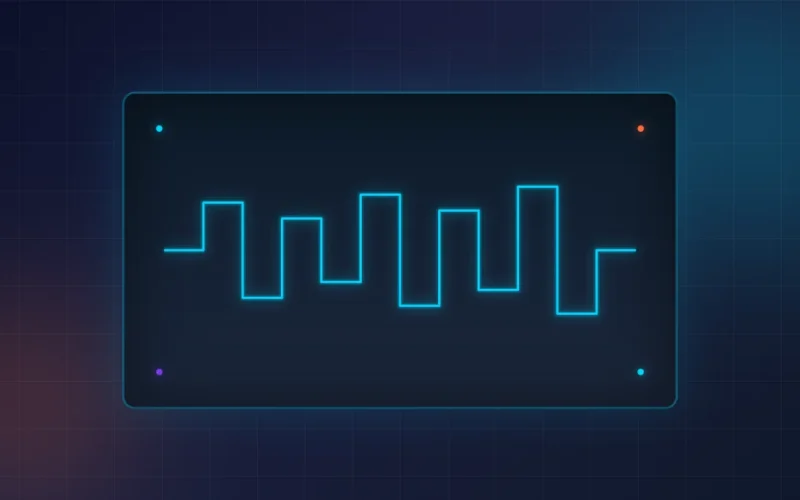
An oscilloscope is a test instrument that captures and displays voltage signals as waveforms over time. Unlike a multimeter that shows a single number, a scope reveals how a signal changes microsecond by microsecond â exposing noise, jitter, and timing problems invisible to other tools.
The Multimeter Lie I Believed for Six Years
Every hobbyist engineer falls for it. You buy a multimeter. You learn to check continuity, voltage, resistance. And you start thinking you’ve got “test equipment” covered. I sure did.
Back in 2017, I was building a custom PWM controller for a CNC spindle in a shared makerspace near Detroit. The multimeter said 12 volts. Steady. Clean. But the spindle kept stalling under load. Three days of rewiring. New capacitors. Different power supply. Nothing worked.
The problem? The voltage wasn’t steady at all. It was pulsing. The multimeter averaged those pulses into a friendly “12.0V” reading. The motor controller needed a clean DC signal. What it got was a rippled mess that only showed its true face on an oscilloscope screen.
Here’s the thing nobody tells beginners: a multimeter lies to you. It has to. Averaging is its job. But circuits don’t run on averages. They run on real-time behavior. And if you’re debugging anything more complex than a flashlight, that real-time behavior matters.
If you’re still relying on a multimeter alone for circuit debugging, I get it. I was there for six years. But if you’re curious about how test equipment actually separates the pros from the frustrated hobbyists, our guide to picking the right digital multimeter covers the complementary side of the bench â because you’ll still need one, even after you buy a scope.

My First $89 Scope Mistake
After the Toledo garage incident, I went online and bought the cheapest “oscilloscope” I could find. An FNIRSI DSO152. Single channel. Pocket-sized. $89 with shipping. I felt like a genius.
Two weeks later, reality set in. The bandwidth was 200 kHz. That sounds like a lot until you realize a basic Arduino PWM signal runs at 490 Hz â which it could handle â but the SPI bus I was trying to debug runs at 4 MHz. The little screen turned those clean digital transitions into fuzzy smears. I couldn’t trigger reliably. The battery died mid-debugging session. And the manual was clearly translated by someone who had never touched a soldering iron.
The worst part? I kept using it. For three months. Because I didn’t know what I was missing. I thought “this is just how oscilloscopes are.” They’re not.
My biggest lesson from that mistake: cheap oscilloscopes aren’t bad because they’re cheap. They’re bad because they hide the problem without solving it. You see a waveform. You think you’ve got data. But if the bandwidth, sample rate, and trigger system aren’t up to your actual signals, you’re just looking at digital art.
That $89 unit now lives in a drawer in my Cleveland workshop. I pull it out sometimes when a friend asks, “Do I really need to spend more?” I show them the screen. Then I show them a real scope. The reaction is always the same: a long pause, then “Oh. I see it now.”
USB vs Benchtop: The Honest Truth for Hobbyists
The first real decision every beginner faces: USB oscilloscope or benchtop?
I own both now. A Digilent Analog Discovery 3 sits in my laptop bag. A Siglent SDS1202X-E lives permanently on my bench in Cleveland. And here’s my honest breakdown â not the manufacturer marketing, but the actual day-to-day reality.
USB oscilloscopes are smaller, cheaper, and rely on your PC for display and controls. My Analog Discovery 3 cost about $379 in 2024. It’s 14-bit, has two analog channels plus 16 digital inputs, includes a waveform generator, and the software is genuinely excellent.
For microcontroller work â Arduino, ESP32, Raspberry Pi Pico â it’s unbeatable. I can capture an I2C transaction, decode it on screen, and export the CSV to my laptop in about thirty seconds.
But USB scopes have a hidden cost: setup time. You need the software running. The USB cable can’t be flaky. And if your laptop decides to update Windows mid-project, you’re dead in the water. I’ve had two sessions ruined by background OS tasks stealing USB bandwidth.
Benchtop oscilloscopes are self-contained. Dedicated screen. Physical knobs. Push a button, see a waveform. My Siglent cost $379 â same price as the Analog Discovery, ironically â but it’s 200 MHz, 1 GSa/s, and those physical trigger level and timebase knobs make debugging maybe five times faster. When I’m chasing a sporadic glitch in a motor driver, I don’t want to click through menus. I want to twist a knob and watch the screen respond instantly.
Here’s my rule now: USB scopes are for learning and portability. Benchtop scopes are for actually fixing things. If you have one project and one desk, get a benchtop. If you’re moving between workspaces or mostly doing digital protocol sniffing, a USB oscilloscope makes more sense.
And if you’re curious about how another piece of bench equipment â a $340 sensor module â can outperform gear costing ten times more, our breakdown of the CMOS sensor that beat a $4,200 camera covers the same “specs don’t tell the whole story” lesson from a different angle.

The One Spec That Actually Matters
Manufacturers love to bury you in numbers. Bandwidth. Sample rate. Memory depth. Rise time. FFT points. It’s overwhelming. But after using scopes for six years across automotive, robotics, and hobbyist projects, I can tell you that only one spec determines whether your oscilloscope will actually help or just frustrate you.
It’s bandwidth. And the rule is simple: your scope’s bandwidth should be at least five times the highest frequency signal you expect to measure.
Not two times. Not “close enough.” Five times.
Here’s why: a scope with 20 MHz bandwidth will show you a clean sine wave at 4 MHz. But try to look at a 4 MHz square wave â which is what most digital signals actually are â and it’ll look like a sine wave with rounded edges. Because square waves are made of odd harmonics. A 4 MHz square wave has significant harmonic content at 12 MHz, 20 MHz, and beyond. If your scope can’t pass those harmonics faithfully, the signal looks distorted. And distorted signals lead to wrong conclusions.
My $89 FNIRSI had 200 kHz bandwidth. That sounds like enough for audio or slow sensors. But even a basic servo PWM signal at 50 Hz has sharp edges that need at least 1â2 MHz bandwidth to look right. The scope couldn’t resolve them. Everything looked soft. I thought my signal was clean. It wasn’t.
Sample rate matters too, but here’s the dirty secret: most modern oscilloscopes have more than enough sample rate for hobbyist work. Even budget scopes today do 1 GSa/s. That’s one sample per nanosecond. For Arduino and ESP32 debugging, that’s massive overkill. What kills beginners isn’t sample rate. It’s bandwidth.
If you’re working with microcontrollers, audio, or basic power supplies, 50â100 MHz bandwidth is plenty. If you’re debugging SPI at 20 MHz, RF circuits, or fast motor drives, aim for 200 MHz or more. And if a manufacturer doesn’t prominently list the bandwidth, walk away. They’re hiding it for a reason.
What I’d Buy Today in 2026
Prices have shifted since 2024. Here’s what I’d actually spend my money on today, broken down by budget and use case.
Absolute beginner, under $100: The FNIRSI 1014D. About $106 on Amazon. Two channels, 100 MHz bandwidth, 7-inch touchscreen, and a built-in signal generator. It’s not perfect â the interface is sluggish and the measurements aren’t lab-grade â but it’ll show you what your signals actually look like. Way better than my old DSO152.
Serious hobbyist, $300â$400: The Siglent SDS1202X-E at roughly $379. This is the scope I wish I’d bought first. 200 MHz bandwidth, 1 GSa/s, serial decoding for I2C, SPI, UART, CAN, and LIN. The build quality is real. The trigger system actually works. And unlike the ultra-budget units, this one won’t become a paperweight when your skills grow.
Need four channels, around $500: The Rigol DS1054Z remains the community favorite. 50 MHz hackable to 100 MHz, four channels, 12 Mpts memory depth. It’s been the default recommendation on Reddit’s r/electronics for a decade for good reason. The only downside in 2026 is that it’s getting harder to find new stock â Rigol has shifted focus to newer DHO series models.
USB all-in-one, $300â$400: The Digilent Analog Discovery 3. I still use mine weekly. 14-bit resolution, 2 analog + 16 digital channels, waveform generator, power supplies, and the WaveForms software is genuinely enjoyable to use. It lives in my bag because sometimes you need to debug hardware at a friend’s house or a client site in Pittsburgh.
What I wouldn’t buy: Anything under $50 claiming to be a “digital oscilloscope” in 2026. Those pocket units are toys. They’ll show you a waveform, yes. But the bandwidth is too low, the triggering is nonexistent, and the screens are unreadable in daylight. Spend the extra $40 and get something that actually helps you learn. If you want the formal fundamentals straight from the industry leader, Tektronix explains oscilloscope architecture with diagrams that make bandwidth and sampling crystal clear.

Key Takeaways
- A multimeter averages signals into a single number â it can’t show noise, jitter, or timing problems that an oscilloscope reveals instantly.
- Ultra-cheap scopes under $50 are toys; the FNIRSI 1014D at ~$100 is the minimum viable entry point for real learning.
- Bandwidth is the most important spec â aim for 5Ã your highest signal frequency. Sample rate matters less for most hobbyist work.
- USB scopes excel for portability and digital protocol decoding; benchtop scopes win for hands-on debugging speed and build quality.
- For a permanent bench in 2026, the Siglent SDS1202X-E (~$379) or Rigol DS1054Z (~$349â$499) remain the smartest investments.
Frequently Asked Questions
Cheapest oscilloscope worth buying in 2026?
The FNIRSI 1014D at roughly $100. It’s not lab-grade, but it has real 100 MHz bandwidth, two channels, and a built-in signal generator. Avoid anything under $50 â those pocket units can’t resolve real signals accurately.
USB or benchtop scope for Arduino projects?
USB if you’re on a tight budget or need portability. The Digilent Analog Discovery 3 at ~$379 is unbeatable for protocol decoding. But a benchtop like the Siglent SDS1202X-E gives you faster hands-on debugging with physical knobs. For a permanent desk, go benchtop.
How much bandwidth do I actually need?
Use the five-times rule: multiply your highest signal frequency by five. For Arduino PWM (490 Hzâ4 kHz), even 20 MHz is overkill. For SPI at 4 MHz, aim for at least 20 MHz bandwidth. For RF or fast motor drives, 100â200 MHz is safer.
Can a smartphone oscilloscope app replace a real scope?
No. Apps that use your phone’s microphone jack or USB-C port are severely limited by the phone’s hardware. Sample rates are low, voltage ranges are tiny, and there’s no proper isolation. They’re fun toys for audio signals, but not serious debugging tools.
Still buy a Rigol DS1054Z in 2026?
Yes, if you can find one. It’s been the hobbyist gold standard for a decade. Four channels, hackable bandwidth, and massive community support. In 2026, Rigol is pushing newer DHO-series models, but the DS1054Z remains better value per dollar if stock is available.
About the Author: Michael Chen is an industrial automation engineer with 12 years of experience in PLC programming, SCADA integration, and electronics test equipment. He previously led automation upgrades at a Tier 1 automotive supplier in Michigan and holds Siemens TIA Portal Advanced certifications. At Techynovate, he tests PLCs, sensors, and bench instruments hands-on.